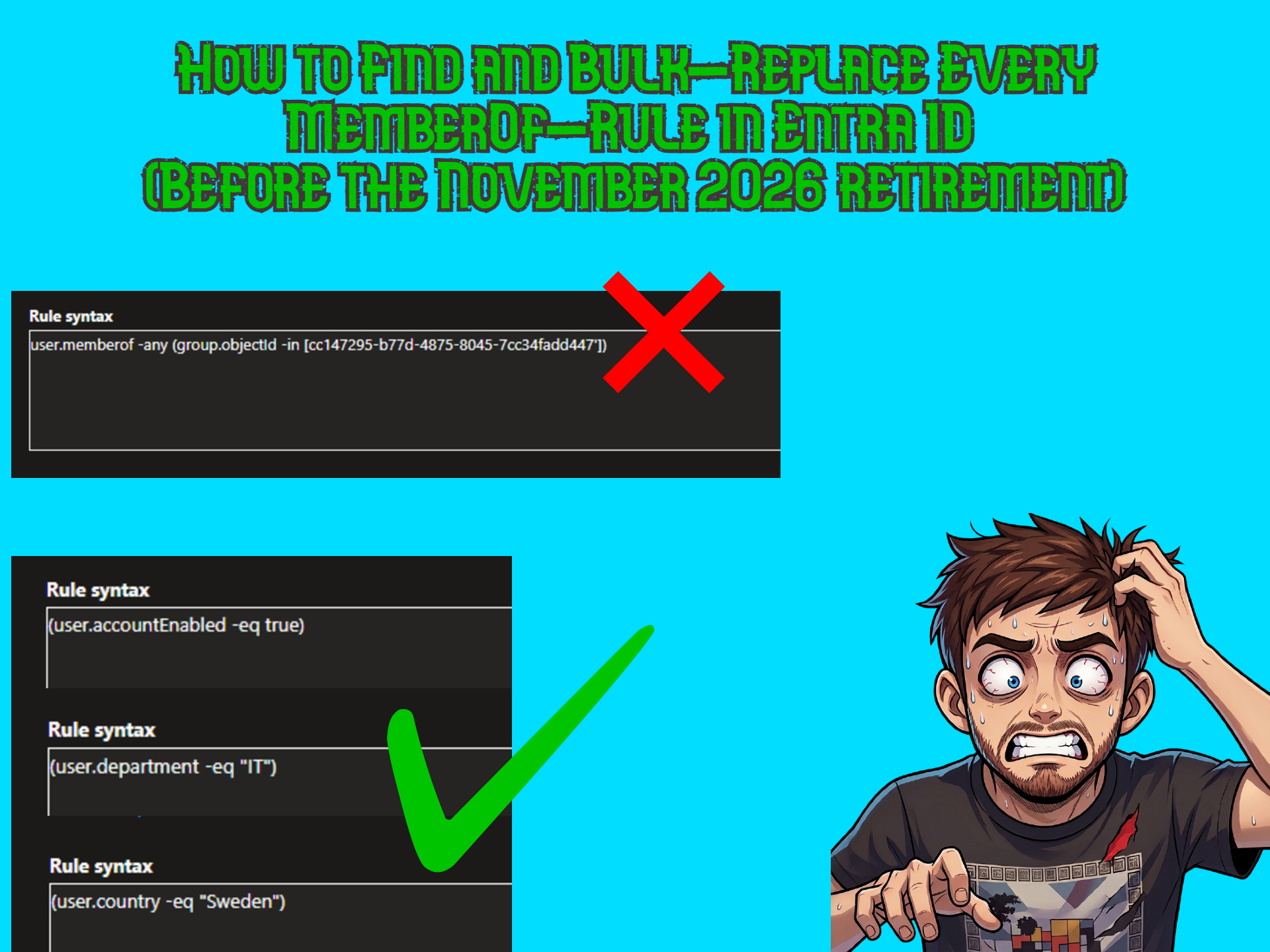
Just when we all got used to the feature of using the memberOf attribute in dynamic groups in Entra, Microsoft pulled the rug on us! Today I’ll show you how to find all groups with this attribute and how to bulk update them with a new rule.
If you want to read the full message center post from Microsoft I’ll link it HERE. Below I listed what I think are the most important things to know about this retirement.
Short disclaimer; this post is all about groups!
I know this attribute can be used on dynamic Administrative units and Entitlement management auto-assignment policies, but I’ll be focusing solely on groups in this post.
When was this feature introduced and why?
The dynamic query memberOf was introduced in 2022 in preview and has remained in preview ever since then (4 years in preview, not bad huh?). The purpose was to take on a more modern approach and try to simulate nested groups in Active Directory without replicating it , which in my opinion worked really well.
Why are they retiring it?
Apparently there have been issues caused by the memberOf attribute that have been tenant-wide. I used this dynamic rule in many tenants over the past few years and never noticed anything. The Message Center announcement states:
“During preview, Microsoft observed that use of MemberOf can affect dynamic membership processing across a tenant even if you have one MemberOf rule operator in your tenant. Because of this limitation, it is not recommended for production use and will be retired.”
What happens after November 3rd when it is retired?
After November 3rd all dynamic groups with this rule will simply stop evaluating the rule so they will remain in the state that they were on November 3rd if they are not updated. No members will be added, and no members will be removed. I just freezes.
Find and bulk update groups via Microsoft Graph
This script requires the Microsoft Graph PowerShell module. Instructions on how to install that can be found HERE.
Below is the full PowerShell script along with instructions on how to use it:
<#
.SYNOPSIS
    Finds and remediates Entra ID dynamic groups that still use the retiring
    memberOf rule operator (retired after 2026-11-03, MC1448379).
    Script is AI-generated using Copilot with Claude Opus
    Human-reviewed by Tobias Eriksson, https://www.tob-it.se

.DESCRIPTION
    Part 1: Lists every dynamic membership group whose membershipRule contains
            "memberof" and exports the findings to C:\Temp.
    Part 2: Bulk-updates the membershipRule for a defined array of group IDs,
            replacing it with the value stored in $newDynamicAttribute.

.NOTES
    Requires: Microsoft.Graph PowerShell SDK
    Scopes  : Group.ReadWrite.All
#>

# ----------------------------------------------------------------------------
# CONFIGURATION
# ----------------------------------------------------------------------------

# Dry run: $true = report only, no changes are written. $false = apply changes.
$dryRun = $true

# Connect to Microsoft Graph
Connect-MgGraph -Scopes "Group.ReadWrite.All"

# ============================================================================
# PART 1 - LIST ALL GROUPS THAT USE THE memberOf ATTRIBUTE
# ============================================================================

Write-Host "Part 1: Searching for dynamic groups that use the memberOf attribute..." -ForegroundColor DarkGray

$affectedGroups = [System.Collections.Generic.List[object]]::new()

try {
    # Only dynamic groups can carry a membershipRule. Handle paging via -All.
    $dynamicGroups = Get-MgGroup -All -Filter "groupTypes/any(g:g eq 'DynamicMembership')" `
        -Property "id,displayName,membershipRule,membershipRuleProcessingState,groupTypes" -ErrorAction Stop

    foreach ($group in $dynamicGroups) {
        if ($group.MembershipRule -and $group.MembershipRule -match "memberof") {
            $affectedGroups.Add([PSCustomObject]@{
                DisplayName                   = $group.DisplayName
                GroupId                       = $group.Id
                MembershipRuleProcessingState = $group.MembershipRuleProcessingState
                MembershipRule                = $group.MembershipRule
            })
        }
    }
}
catch {
    Write-Host "Failed to enumerate dynamic groups: $($_.Exception.Message)" -ForegroundColor Red
    return
}

if ($affectedGroups.Count -eq 0) {
    Write-Host "No dynamic groups using the memberOf attribute were found." -ForegroundColor Green
}
else {
    Write-Host "Found $($affectedGroups.Count) group(s) using the memberOf attribute." -ForegroundColor Yellow
    $affectedGroups | Format-Table DisplayName, GroupId, MembershipRuleProcessingState -AutoSize
}

# ============================================================================
# PART 2 - BULK UPDATE THE membershipRule FOR THE GROUPS IN $groups
# ============================================================================

# The new dynamic membership rule that will replace the memberOf-based rule.
# Rewrite this to match your target logic (e.g. based on user attributes).

#Variables
$newDynamicAttribute = '(user.accountEnabled -eq true)'

# List the groups to remediate by their groupID (objectId).
$groups = @(
    "INSERT GROUPID'S HERE!"
)

Write-Host "Part 2: Updating membershipRule for $($groups.Count) group(s)..." -ForegroundColor DarkGray

if ($dryRun) {
    Write-Host "DRY RUN is enabled. No changes will be written. Set `$dryRun = `$false to apply." -ForegroundColor Yellow
}

foreach ($groupId in $groups) {

    if ([string]::IsNullOrWhiteSpace($groupId)) {
        Write-Host "Skipping empty group ID entry." -ForegroundColor Yellow
        continue
    }

    Write-Host "Processing group $groupId..." -ForegroundColor DarkGray

    try {
        # Idempotent: read current rule and skip if it already matches the target.
        $current = Get-MgGroup -GroupId $groupId -Property "id,displayName,membershipRule" -ErrorAction Stop

        if ($current.MembershipRule -eq $newDynamicAttribute) {
            Write-Host "  '$($current.DisplayName)' already has the target rule. Skipping." -ForegroundColor Green
            continue
        }

        if ($dryRun) {
            Write-Host "  [DryRun] Would update '$($current.DisplayName)' ($groupId)." -ForegroundColor Yellow
            Write-Host "  [DryRun] Old rule: $($current.MembershipRule)" -ForegroundColor Yellow
            Write-Host "  [DryRun] New rule: $newDynamicAttribute" -ForegroundColor Yellow
            continue
        }

        Update-MgGroup -GroupId $groupId `
            -MembershipRule $newDynamicAttribute `
            -MembershipRuleProcessingState "On" -ErrorAction Stop

        Write-Host "  Updated '$($current.DisplayName)' ($groupId) successfully." -ForegroundColor Green
    }
    catch {
        Write-Host "  Failed to update group $groupId : $($_.Exception.Message)" -ForegroundColor Red
    }
}

Write-Host "Done." -ForegroundColor GreenCode language: PHP (php)- 1. Select $true or $false on the $dryRun switch at the top of the script (set it to $false for testing and $true if you want it to actually change stuff)
- 2. Connect to Microsoft Graph using a Global Admin account.
- 3. Run the full Part 1 block of the script. This will output a list of all groups with the memberOf attribute. Below is an example from my demo tenant:

- 4. As you can see below both these groups use the memberOf attribute:
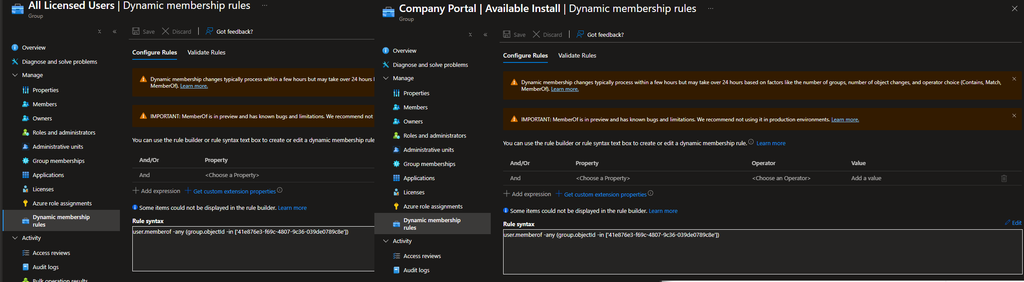
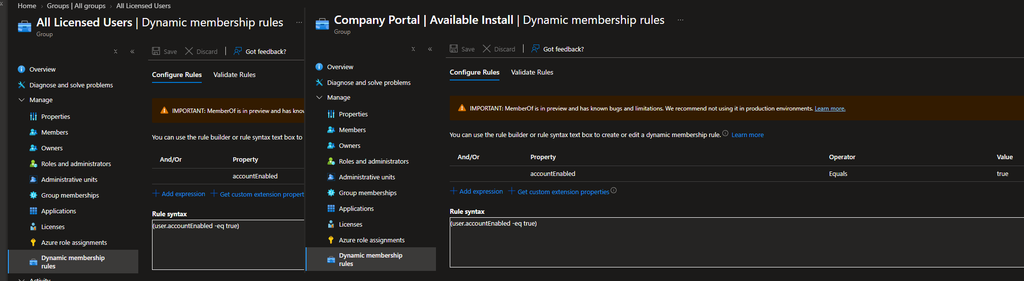
- 5. Decide what your new rule will be and populate the first variable in part 2 of the script called $newDynamicAttribute. In my case I chose the dynamic attribute ‘(user.accountEnabled -eq true)’

- 6. Copy the GroupsId’s of the groups you wish to update from the output in part 1 of the script (step 3 above) and populate the variable $groups in part 2 of the script. In my case I want to update both of the groups so it looks like this for me:

- 7. Run the full part 2 block once those two variables are populated and it should output that your groups have been successfully updated

- 8. A quick refresh in Entra and we can now see both groups have been updated with their new dynamic attributes:
- 9. Run Disconnect-MgGraph in Powershell and start over with the next tenant 😂
Final words
Thank you so much for reading and good luck with updating all your groups! If you like what I do please consider subscribing to my newsletter (it’s free and the only thing you get is a note whenever I post, I won’t spam you!).
You can also buy me a coffee and donate whatever amount you want by clicking the coffee cup in the bottom left corner or by clicking ‘Support My Work’ at the top.
Until next time!
Leave a Reply