DISCALIMER: THIS WAS ORIGINALLY A POST ON MY LINKEDIN HENCE THE STRUCTURE OF THE POST
Shared devices can be incredibly practical in many different scenarios — maybe it’s a computer used by multiple people in a warehouse, in a production environment, or at a checkout counter?
Setting up a SharedPC in Intune is simple, and through the Settings catalog you’ll find 14 unique settings to tailor the experience for different needs.
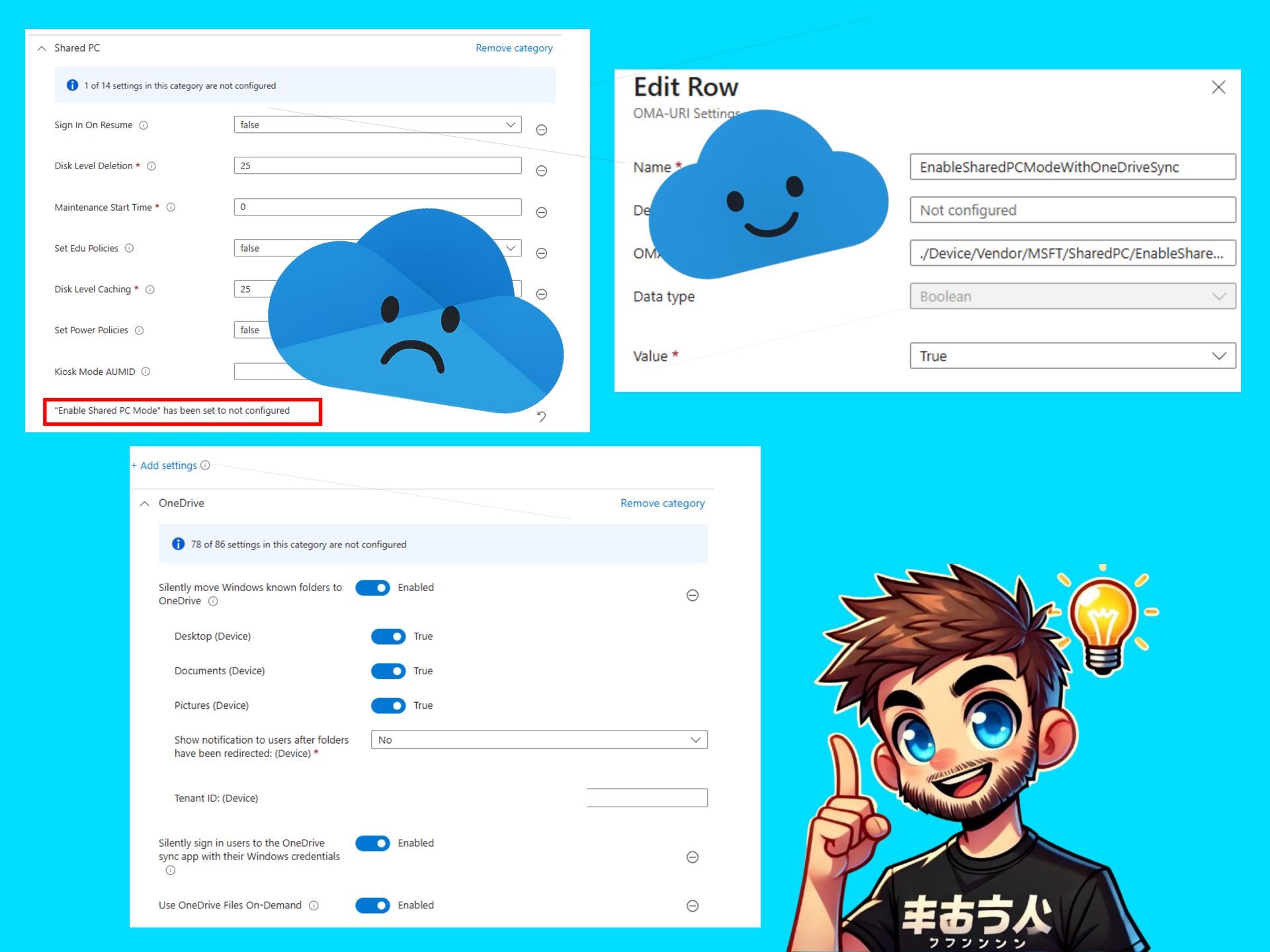
One setting you should avoid is called “Enabled Shared PC Mode”. This setting disables OneDrive, and we definitely want to use OneDrive to ensure files are available across devices.
Instead, use a relatively new custom OMA-URI policy. This can be combined with the other 13 SharedPC settings from the Settings catalog. 🔍
Here are the values you’ll need:
Name (suggested): EnableSharedPCModeWithOneDriveSync
OMA-URI: ./Device/Vendor/MSFT/SharedPC/EnableSharedPCModeWithOneDriveSync
Data Type: Boolean
Value: True ✅
Last but not least, I strongly recommend combining this with a OneDrive policy so users are automatically signed in to OneDrive when logging into the device.
Files On-Demand and Known Folder Move are optional, but they make a great addition to the overall setup!
And that’s it! Three policies to create a great experience on shared devices while ensuring all work is safely stored in OneDrive. Hopefully this will be available within the Settings catalog in the future sometime, but as of writing this post this is the way to do it!
Read more in Microsoft’s official documentation here:
https://lnkd.in/dErDgqte


Leave a Reply