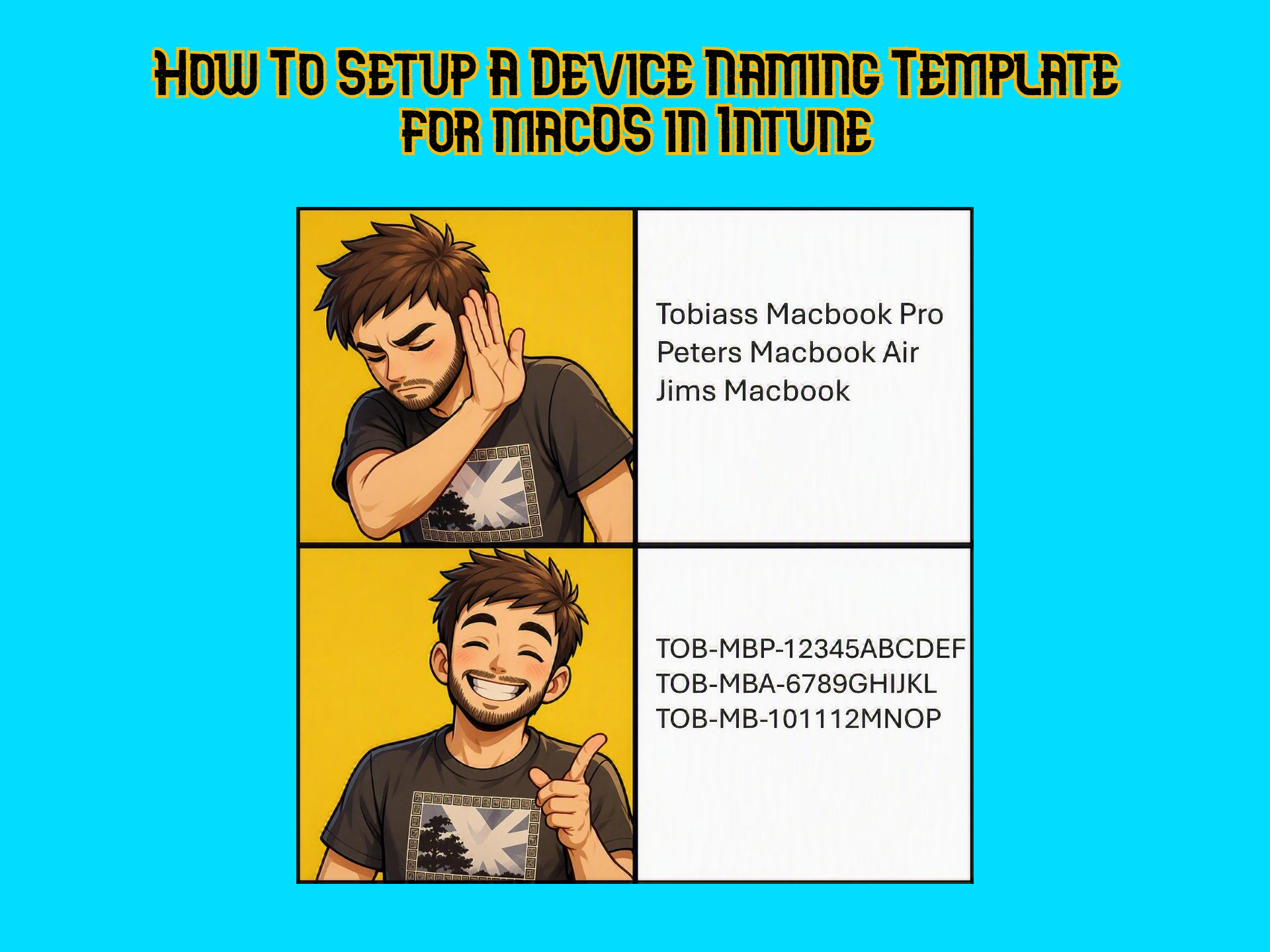
The device naming template in Autopilot for Windows is a no-brainer when setting up deployment profiles for customers. It helps with keeping track of devices, overall management and it gives a professional first expression when the device naming convention is following the same pattern.
This seems like it should be available natively in Intune for macOS, but it’s not.
In today’s post I’ll show you a really cool script from Microsoft that you can use to get the same unified naming on your macOS devices.
Getting the scripts from Microsoft’s GitHub
Both scripts that can be used for the macOS rename and a readme can be found on Microsoft’s GitHub. The article explains everything in detail and I tried my best to summarize it below so you don’t have to read it all.
shell-intune-samples/macOS/Config/DeviceRename at master · microsoft/shell-intune-samples · GitHub
What are the different name options?
We have two different scripts to depending on what we want DeviceName.sh and DeviceName2.sh. Below is a short explanation of the difference between these two:
DeviceName.sh
This first script names devices based on a corporate prefix, device model and serial number. It will look like this once set up the way you want 👇
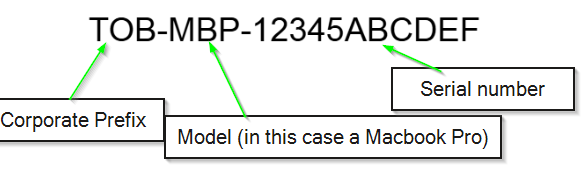
The only thing you have to change are the variables at the top of the script. As described in the article, this is what each variable does:
# Define variables
appname="DeviceRename"
logandmetadir="/Library/Logs/Microsoft/IntuneScripts/$appname"
log="$logandmetadir/$appname.log"
CorporatePrefix="CO"   # May be adjusted, e.g. your company shortname, or set to empty string
PersonalPrefix="BYO"   # May be adjusted, or set to empty string
ABMOnly="false"        # Change to "true" to change device names for ABM enrolled devices only
EnforceBYOD="false"    # Change to "true" if you want to run the script repeatedly and enforce device names for BYOD devicesCode language: PHP (php)
So in my scenario I only wanted to rename ABM enrolled devices and I don’t care about BYOD devices. My variables then looked like this in order to achieve the name set in my example above:
# Define variables
appname="DeviceRename"
logandmetadir="/Library/Logs/Microsoft/IntuneScripts/$appname"
log="$logandmetadir/$appname.log"
<strong>CorporatePrefix="TOB"</strong>   # May be adjusted, e.g. your company shortname, or set to empty string
<strong>PersonalPrefix="" </strong>  # May be adjusted, or set to empty string
<strong>ABMOnly="true"</strong>        # Change to "true" to change device names for ABM enrolled devices only
<strong>EnforceBYOD="false"</strong>    # Change to "true" if you want to run the script repeatedly and enforce device names for BYOD devicesCode language: PHP (php)
If you want to you can also add the variable $Country=”SE” at the bottom to get a country prefix at the end (in my case I would chose SE since I am in Sweden)
DeviceName2.sh
This script is for ABM enrolled devices only (as mentioned on the GitHub page).
This script uses only the serial number and country code to set the name. It will look like below:
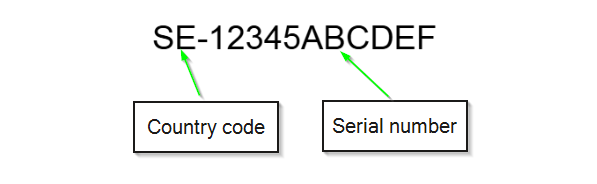
To achieve this it’s the same procedure as before. Just change the variable $CountryCode to whatever country you like:
# Define variables
appname="DeviceRename"
logandmetadir="/Library/Logs/Microsoft/IntuneScripts/$appname"
log="$logandmetadir/$appname.log"
<strong>CountryCode="SE" </strong>        # ISO 3166 Country CodeCode language: PHP (php)
Upload the script to Intune
Go to Devices > macOS > Scripts > Add > Give it a name and when you get to Script settings set it like below:
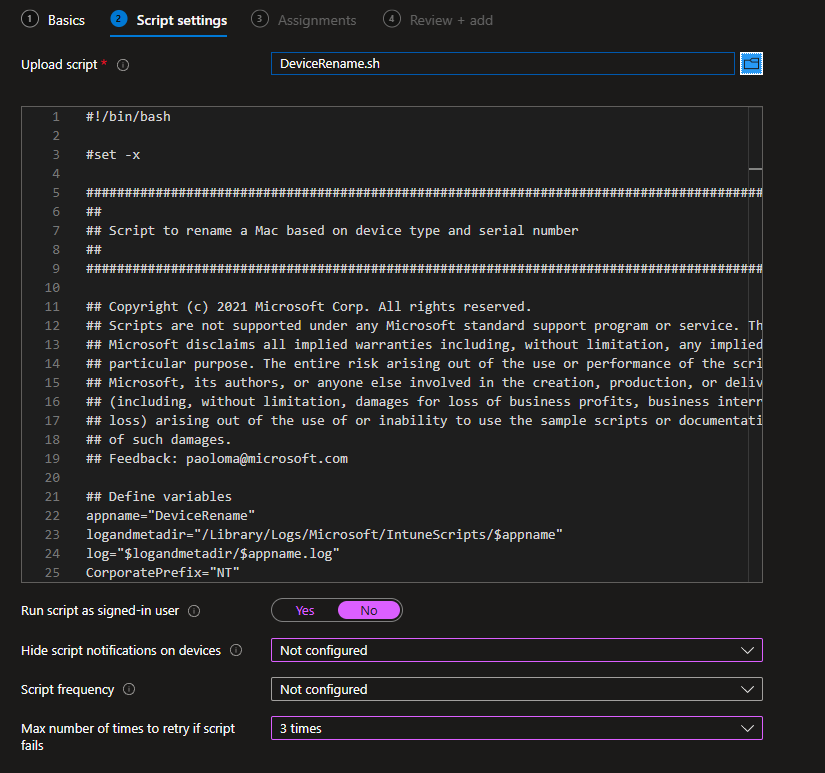
Assign it to All Devices or a group containing your macOS devices
A shorter post today but hey, a post is a post! Thanks for reading. Please consider signing up to get notified whenever I post, it means a lot. You can also support me by buying me a coffee if you like, I can always use a cup of coffee 😂☕
Leave a Reply